Output Throughput
Selected output tokens divided by the shared duration of a 3, 5, or 10 minute sliding window. It is not per-call TPS.
Native menu bar metrics · Public Beta
Agent Metrics helps you inspect local Codex and Claude Code activity without flattening unlike measurements into one score.
Version 0.2.3 · build 8 · macOS 14+ · Apple silicon
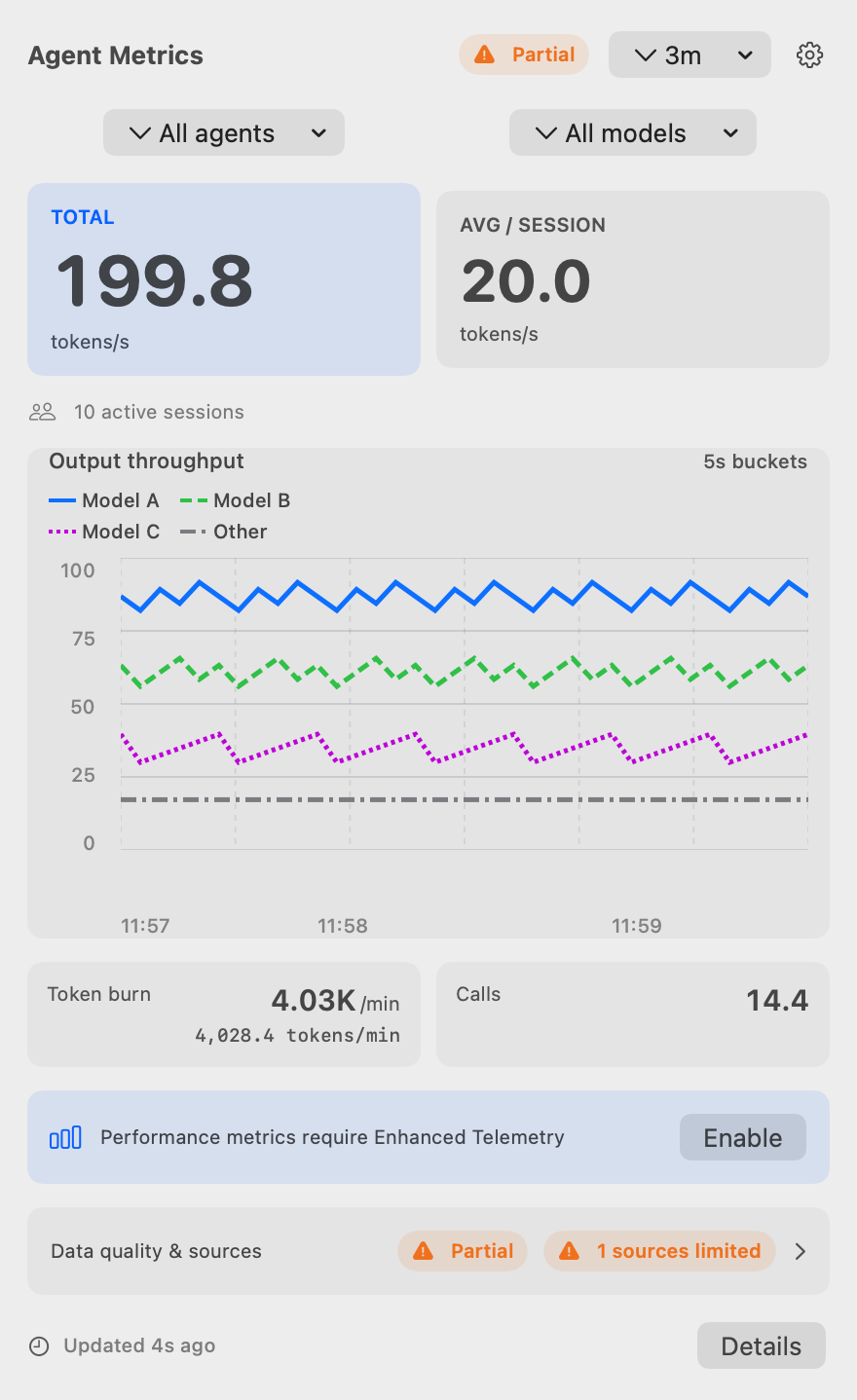
Defined before displayed
Selected output tokens divided by the shared duration of a 3, 5, or 10 minute sliding window. It is not per-call TPS.
Normalized, mutually exclusive token parts over a fixed 600-second window. It is not TPM and never adds overlapping counters.
Distinct stable Model Call IDs per minute. If a source cannot supply a stable ID, calls are unavailable rather than guessed.
A per-model-call decode rate excluding time to first token. It requires Enhanced Telemetry and stays unavailable when its required fields cannot be joined.
Trend details pair values with measurement quality, data state, coverage, freshness, source authority, and definition version.
Beyond the summary

Inspect throughput and activity over time with exact-value tables and visible metric provenance.
Control the aggregate window, menu cadence, login behavior, telemetry, and updates in clear groups.
Preview an allowlisted report, confirm copy or save actions, and review the exact Reset Data scope.
Keep version, compatibility, metric definitions, privacy boundaries, and update checks together.
Actual deterministic app renders in Light and Dark appearances; values are synthetic.
Source matrix
| Source | Default local data | Enhanced data |
|---|---|---|
| Codex | Rollout usage observations support aggregate output and burn with source-specific coverage. | Optional loopback telemetry can add request-scoped observations only when their identity and fields are verifiable. |
| Claude Code | Local transcript support is version-gated; unavailable fields remain unavailable. | Optional loopback telemetry can provide supported request observations; it is not limited to Claude Code. |
Enhanced Telemetry is off by default. Its loopback receiver is unauthenticated, so enable it only when you trust local processes on your Mac. The app does not change shells, environment variables, or coding-agent configuration.
Local storage and controls
Agent Metrics reads supported local files and stores normalized usage facts in a local SQLite store. It does not require an account or hosted analytics service. Its expected external network activity is automatic and user-initiated update checks against the configured feed.
Install
FAQ
No hosted analytics service is required. Automatic and user-initiated update checks are the expected external network activity; enabling Enhanced Telemetry creates an unauthenticated local loopback receiver.
Sources differ in their durable fields and boundaries. Agent Metrics surfaces missing coverage and does not substitute a different measurement.
Use Data & Diagnostics for an allowlisted diagnostic preview, copy, save, or public-issue preparation; use Reset Data after reviewing its scope.
Public Beta is a product-maturity label, not an update channel. The production update feed contains only published, non-prerelease GitHub Releases.